AI home inventory for insurance · iPhone and Android
Turn room photos into a home inventory.
Photograph a room, review the items AI suggests, and keep a record of what you own. Start free on iPhone or Android. Export PDF and CSV reports with Whole Home.
See a real example report ↓

4 AI photos free across 2 rooms. Whole Home is a one-time US$49.99. No subscription, no credit card to start.
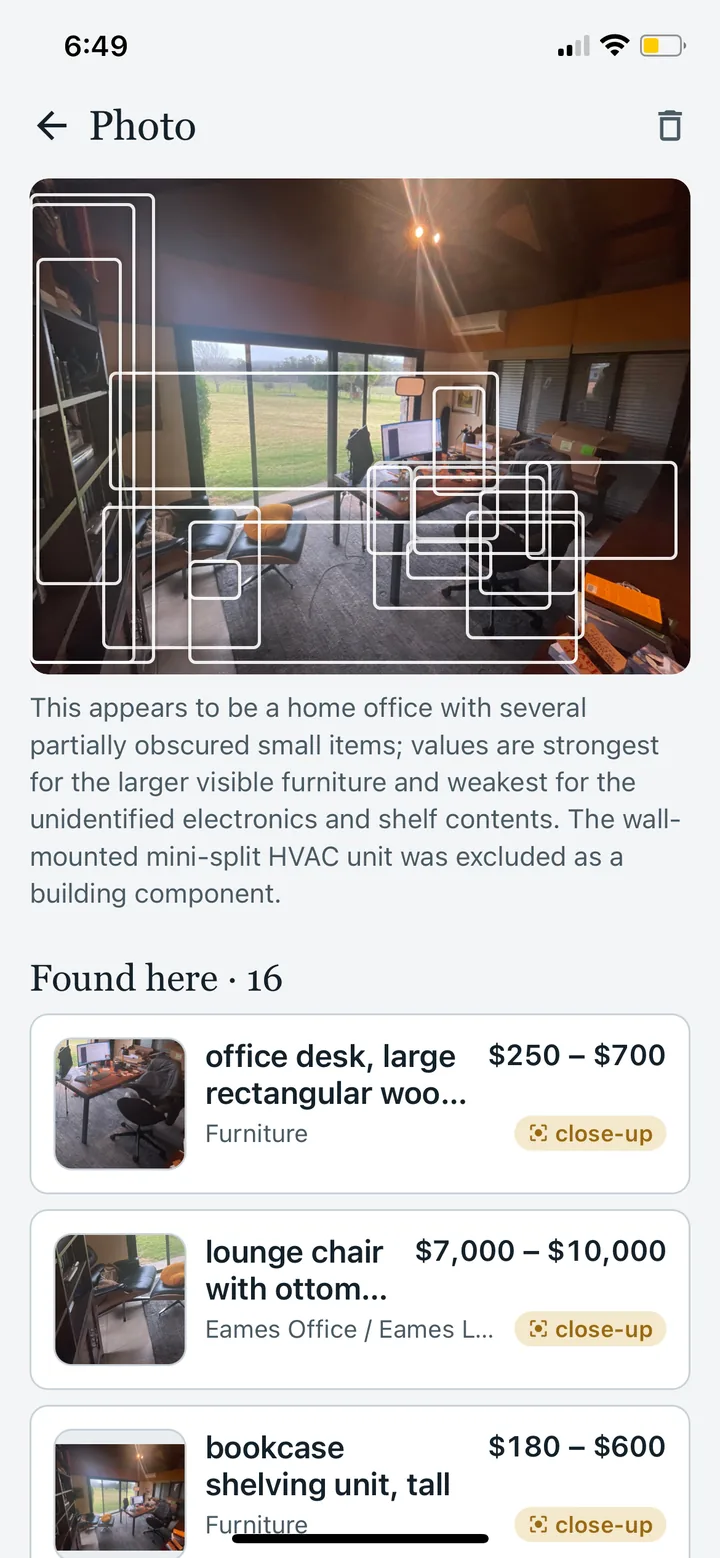
Two photos per room
Start from the doorway, then the opposite corner. Review what was identified and add photos of hidden items, open cabinets and labels where needed.
AI suggests items it can see
The AI reads both photos together and suggests objects it can identify: the sofa, the TV, the rug, the lamp, the books on the shelf, each with a name, a quantity and an estimated replacement cost.
A report you can share
A Whole Home PDF with photos, recorded items and an estimated total to hold against your policy's contents limit, plus a spreadsheet. Send it to your insurer, your agent, or anyone who asks what you own.
The report
See the inventory you can share.
A real report from a two-room scan: 39 items, an estimated replacement cost of $33,298 with its range, a high-value schedule up front, then every room's photos followed by each item with its condition, description, brand where the AI could read it, and a replacement-cost range. Items still waiting on a close-up are marked, so you can send it today and update it next month.
This example illustrates the report format. Its item count and estimates are not typical results or an appraisal.
View both pages of the example report
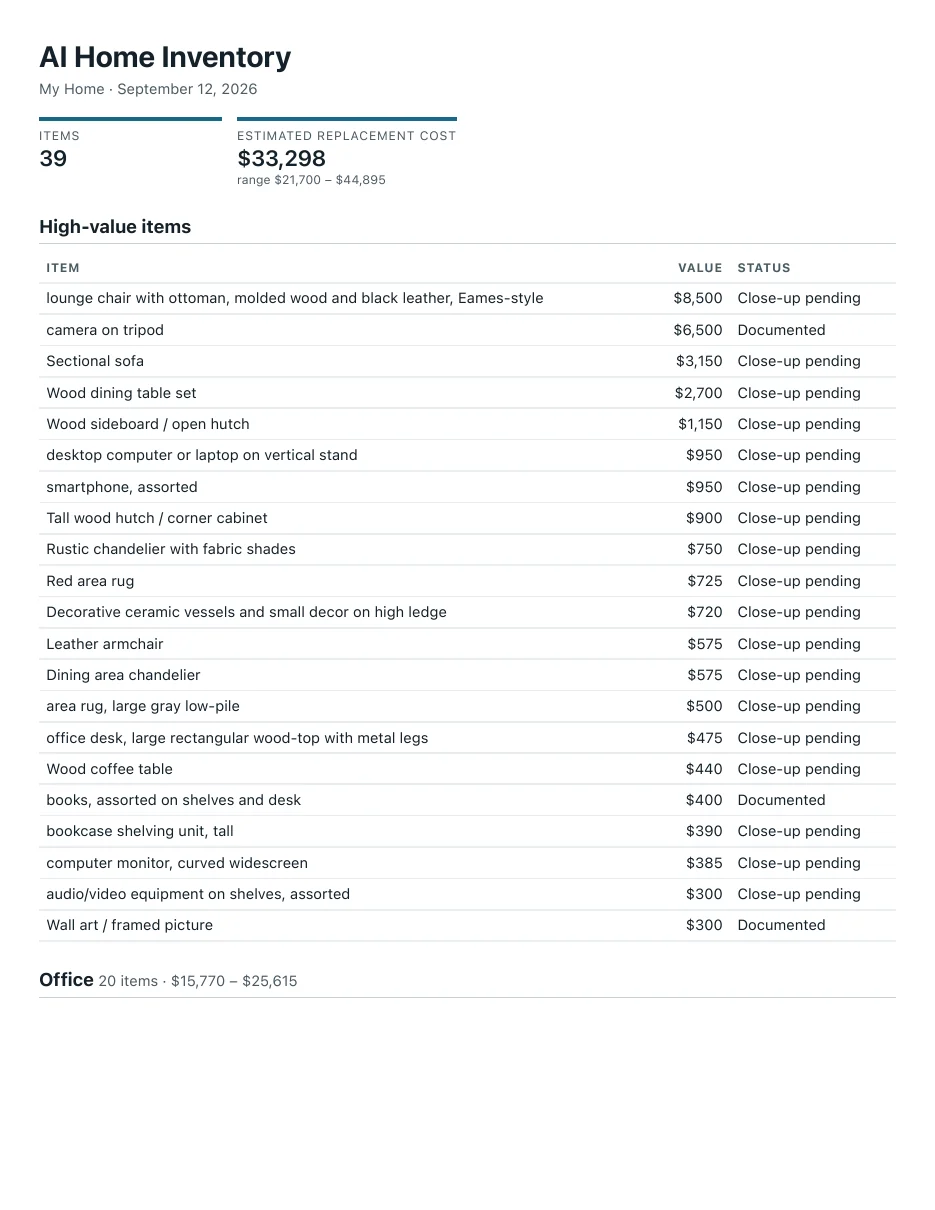
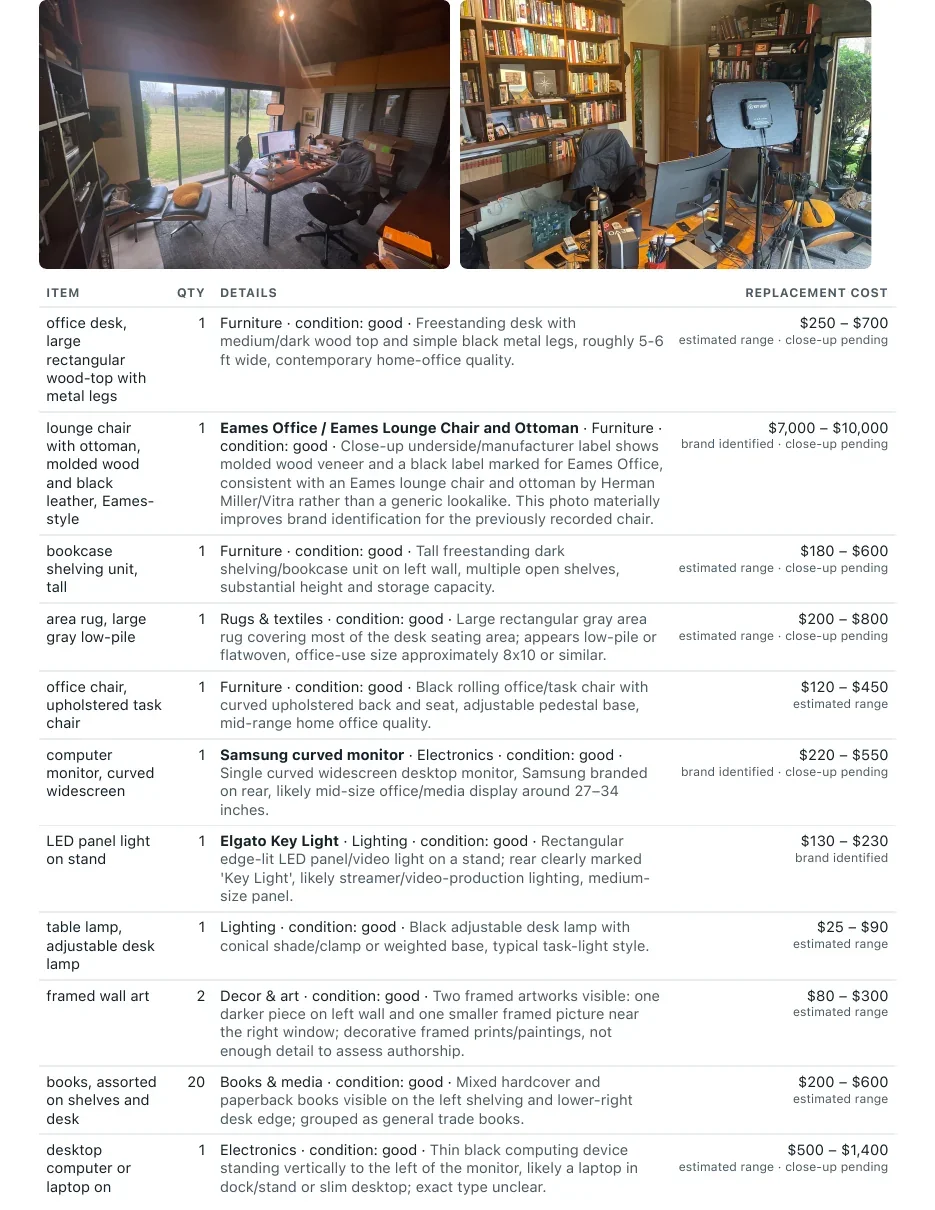
PDF and CSV are included with Whole Home. The two free rooms show you the full list and totals in the app and on the web.
How it works
From room photos to reviewed inventory.
- 1
Photograph the room
Two shots back to back: from the doorway, then from the opposite corner. The app tells you where to stand and takes both before it lists anything. Keep the room-by-room inventory checklist beside you while photographing.
- 2
The AI lists what it sees
Both photos are read together and merged into one list. Each item card shows a zoomed crop of the object, a name, a quantity, and an estimated replacement-cost range.
- 3
Keep, remove, close-up
Swipe through the cards. Anything valuable or unidentifiable gets a request for a close-up of the label or receipt, which can help refine the estimate.
- 4
Get the report
A PDF with photos, every item, and a total to hold against your policy's contents limit. CSV too. Send it to your agent from the share sheet.
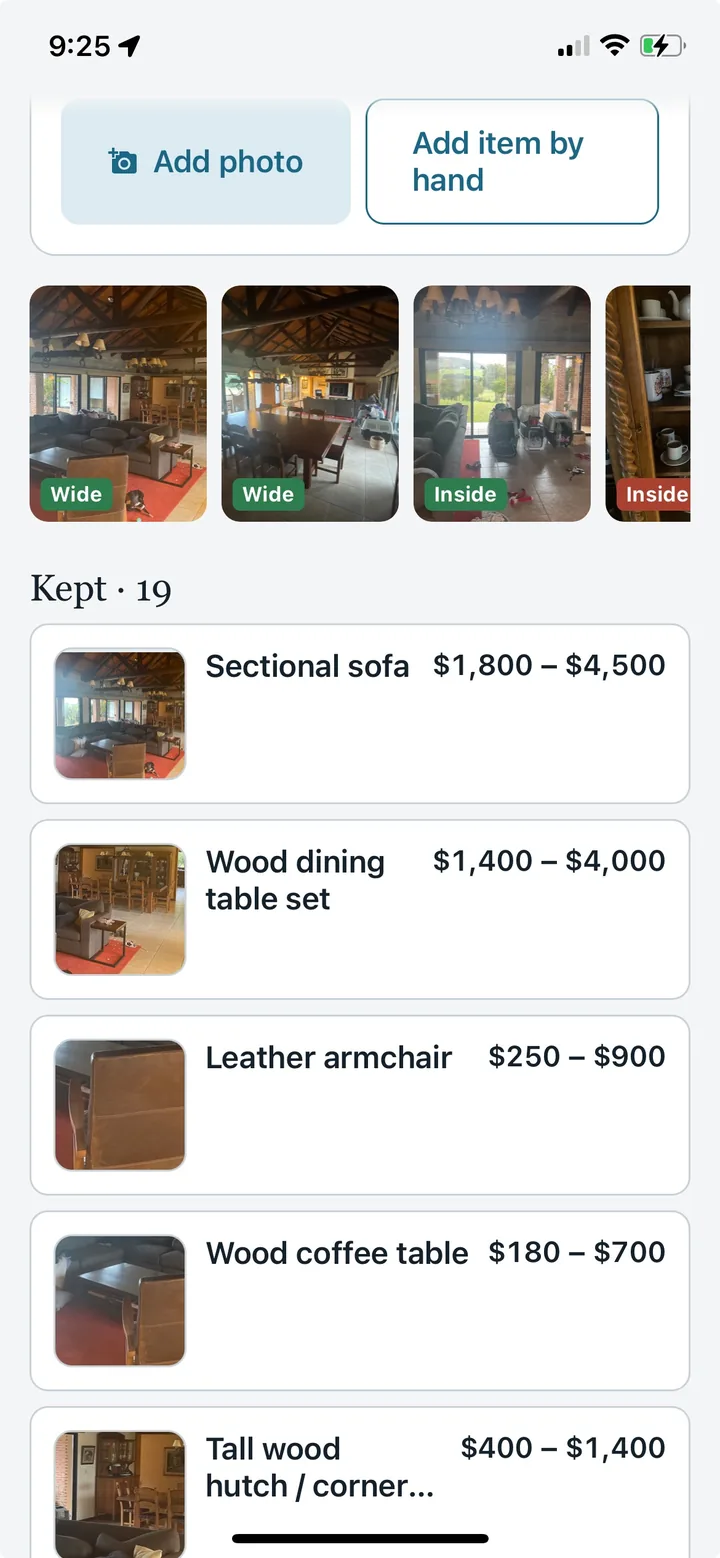
Screens
From the first photo to the finished report.
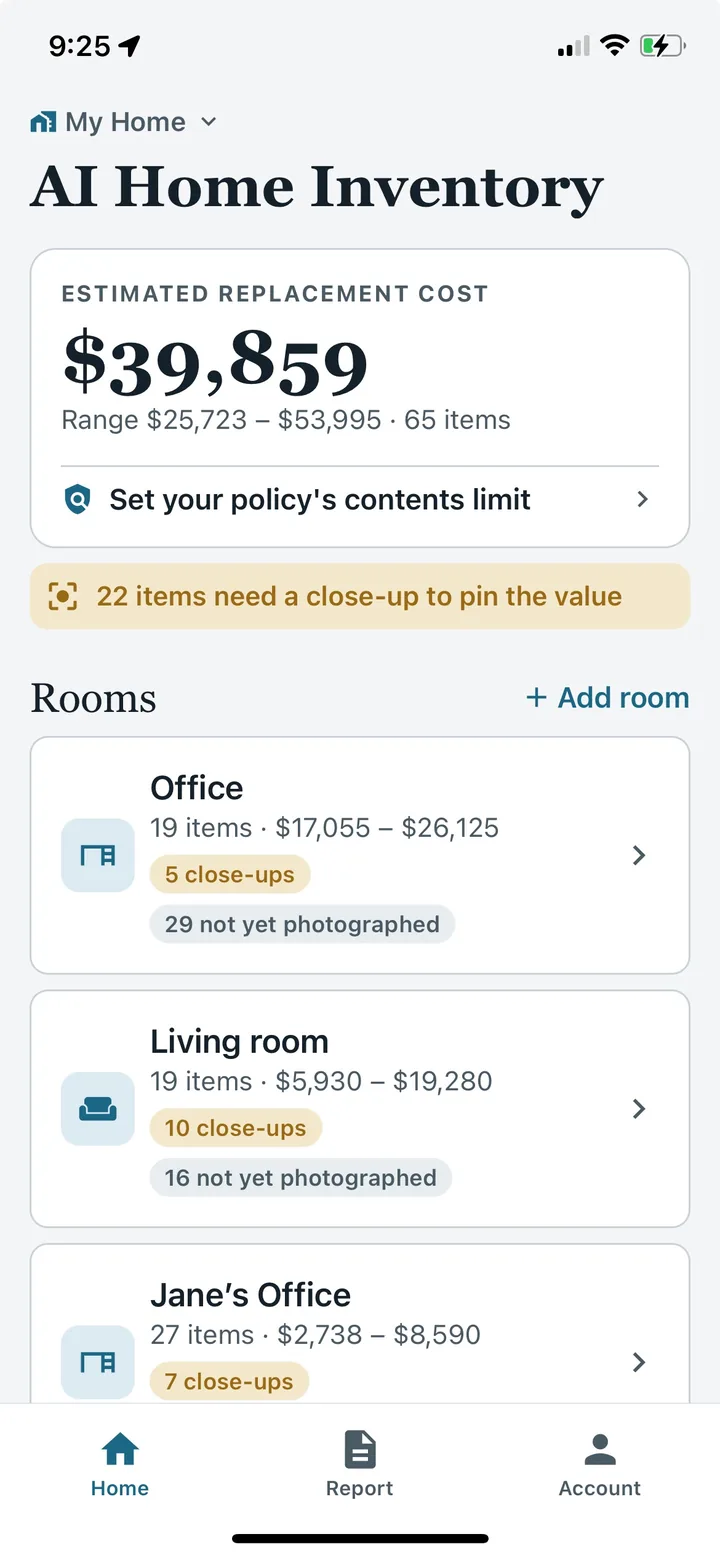
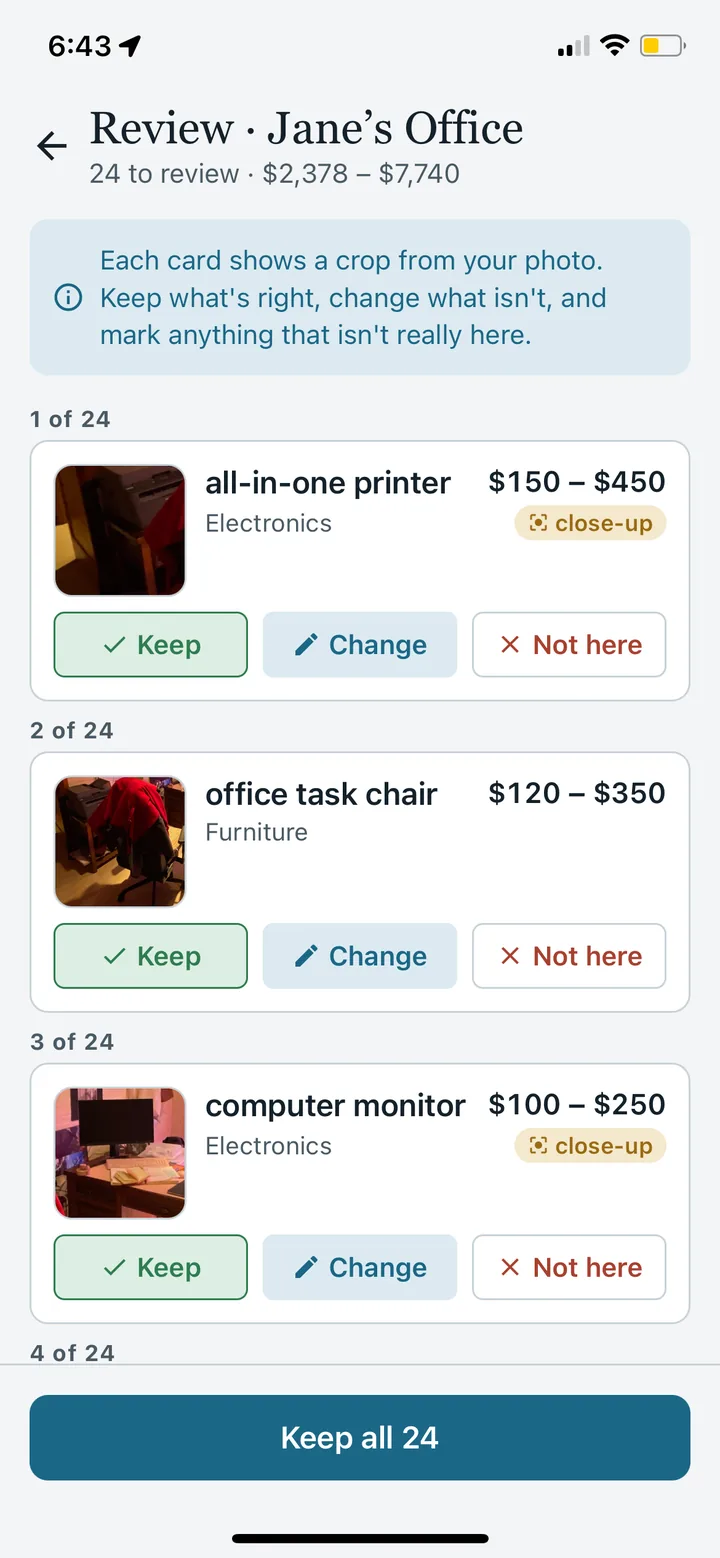
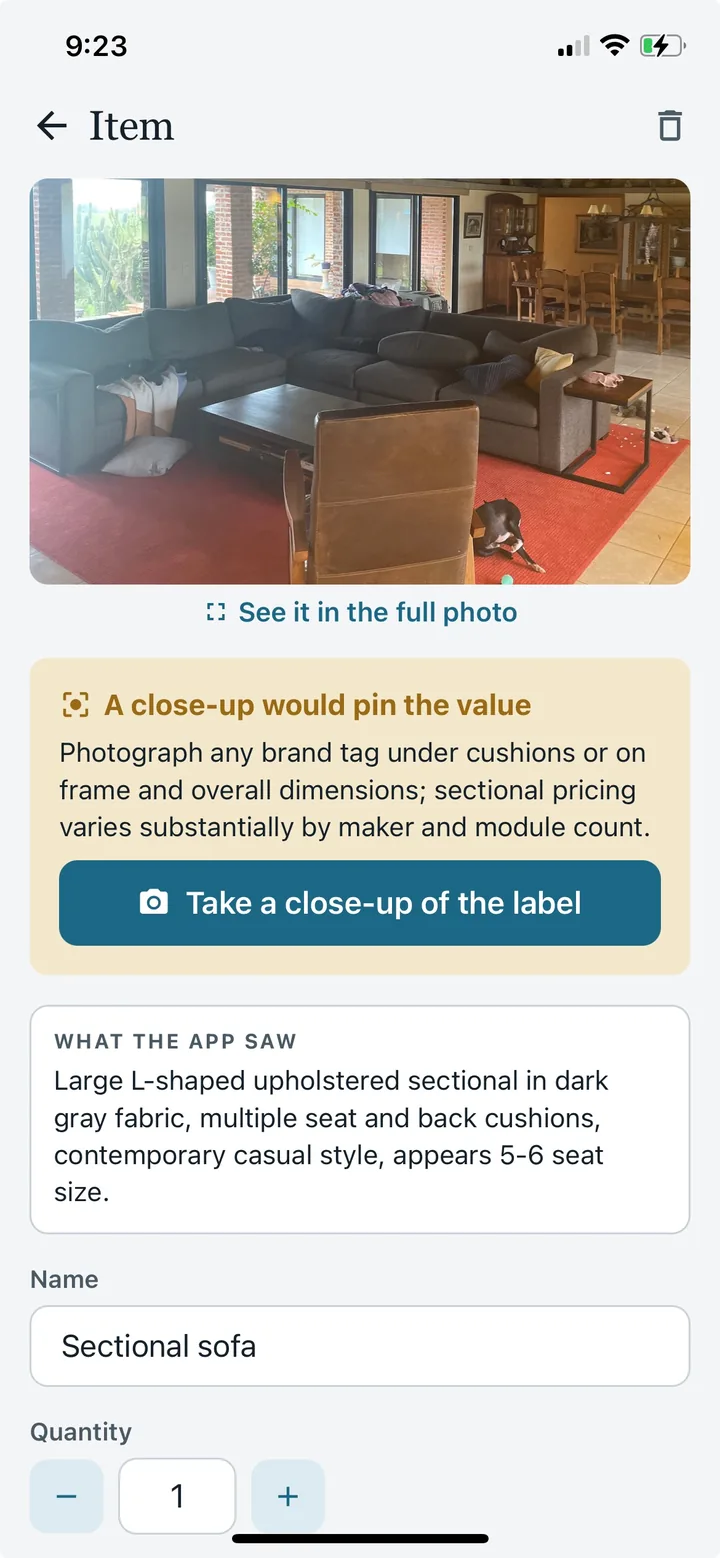
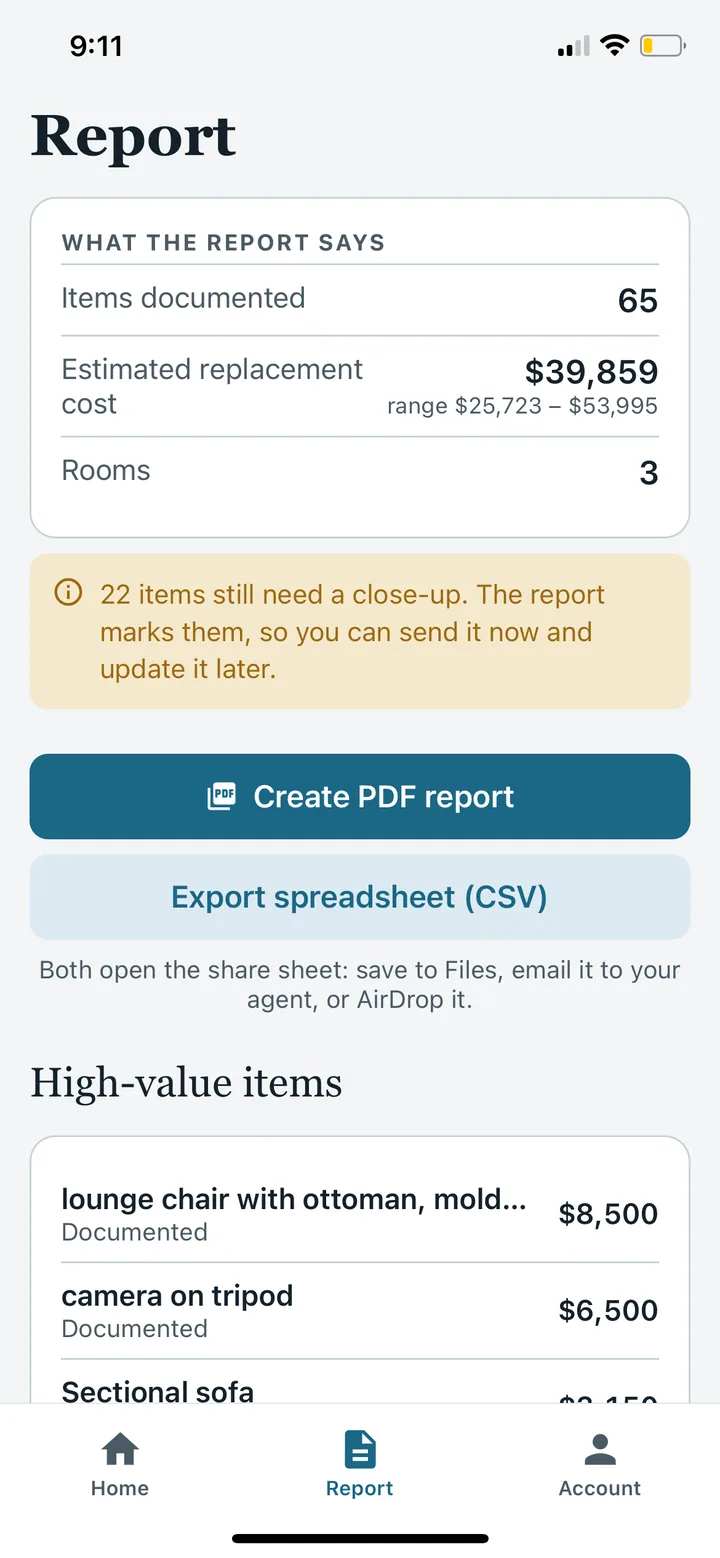
What's different
Keep photos, item records and estimates together.
Whole-room scanning
One photo covers the sofa, the TV, the rug, the lamp and the bookshelf at once. No item-at-a-time photography.
Replacement-cost ranges
Supported items get an estimated replacement-cost range to review against your records. Add receipts or appraisals for items a photo cannot value.
Coverage gaps
The app says what a shot couldn't show, such as a closed closet or the drawers in a dresser, and turns each into a suggested photo.
Close-ups that refine estimates
Designer-looking furniture, electronics and instruments get flagged. A label or receipt can help identify the item and refine its estimated value. Review the result against your records.
Policy limit check
Enter your contents limit, or photograph the declarations page, and the dashboard compares that limit with your inventory estimates. Your insurer can explain what the policy covers.
PDF and CSV reports
Export photos, recorded items, estimates and a high-value schedule as a PDF, plus a CSV for your records. Ask your insurer what documentation it requires.
Kept off your phone
Photos and items are stored with your account, not only on the phone, because the phone is usually in the same fire as the house. Review and edit everything at aihomeinventory.co/app from any computer.
No login wall
Start photographing immediately. Add an email when you want the inventory to survive a new phone.
The values are ranges on purpose.
A photo of a room cannot tell a $400 watch from a $9,000 one, or a print from an original, and the app does not pretend it can. Visible furniture, appliances, electronics and rugs get an estimated replacement-cost range. Anything the range can't settle gets flagged for a close-up of the label or a receipt, which can help refine the estimate. Jewelry, art and collectibles are never given a number; you enter the appraisal. What an adjuster needs after a loss is evidence, and the evidence is what most people don't have.
Guides
Before you start
Home inventory for insurance
What adjusters need, replacement cost versus actual cash value, and the Coverage C limit.
Home inventory checklist
A home inventory list of what to photograph in each room, what to record per item, and what people forget.
Renters insurance inventory
Document the belongings in your apartment and keep supporting records for your insurer.
Common questions
What is AI Home Inventory?
AI Home Inventory is a home inventory app for iPhone and Android. It suggests items from room photos, lets you review and correct them, and keeps the inventory available on the web. Whole Home adds PDF and CSV exports.
Can I try it before paying?
Yes. Start with 4 free AI photos across 2 rooms and review the suggested items in the app. Whole Home is US$49.99 once and includes 60 AI photos plus PDF and CSV exports. Extra 20-photo packs cost US$9.99.
How many photos does a room need?
Start with two wide shots from different corners. Review the suggestions, then add photos of open cabinets, drawers, labels and hidden items as needed. The number of photos depends on the room and its contents.
Does AI identify everything or provide an appraisal?
No. It suggests visible items and estimated replacement-cost ranges. It can miss or misidentify objects, and a photo cannot establish authenticity, ownership or insurance coverage. Correct the list and add receipts, serial numbers or appraisals where appropriate.
Can I use the report for insurance?
You can share a Whole Home PDF or CSV with your insurer as part of your records. Acceptance and claim requirements depend on the insurer and policy. Keep supporting photos, receipts and appraisals; the app does not determine a claim payment.
Does it work for renters?
Yes. Renters can document their own belongings room by room. Check the personal-property coverage and limits in your policy; an inventory is a record of possessions, not an insurance policy.
What happens to my photos?
Photos are processed by AI to suggest items and stored with your account. You can review your inventory on the web and delete your account in the app. See the privacy policy for processing, storage and deletion details.
Start with the room you're in.
Download AI Home Inventory for iPhone or Android and try 4 AI photos free across your first 2 rooms. Whole Home is US$49.99 once, with 60 AI photos and PDF/CSV exports. Web access is also available.
4 AI photos free across 2 rooms. No credit card, no subscription.
Building records for insurance? The NAIC’s home inventory guidance is a useful starting point. Follow your insurer’s documentation requirements.
Start with a useful guide
- Understand inventory records
Learn what to document and discuss with your insurer.
- Work room by room
Use a practical checklist so hidden items are not forgotten.
- See the photo-to-report workflow
Photograph, review suggested items and prepare your record.